Retained product information
HAD-COPY keeps this page available for existing users, support enquiries and replacement research.
Independent workplace technology specialists

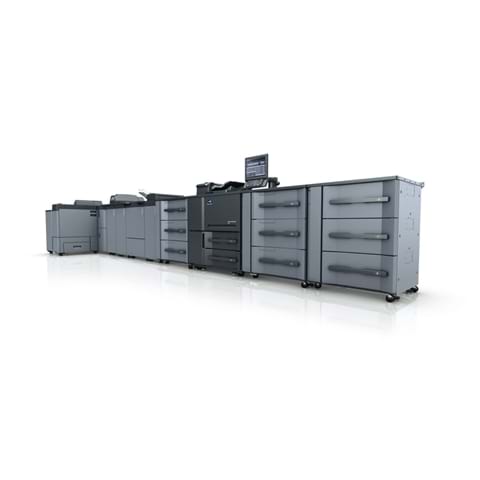
Previous production print system
A previous-generation Konica Minolta AccurioPress 6136 production press retained for reference. Top class productivity of up to 7,490 A4 pages per hour.

Specified and supported by HAD-COPY
Use this product information as a starting point; HAD-COPY will confirm the right configuration, software, installation and support for your organisation.
Device features
Useful capability, explained in practical terms and configured around the work your organisation actually produces.
HAD-COPY keeps this page available for existing users, support enquiries and replacement research.
Device specification
Open each group to compare the specifications that matter to your users, documents and expected workload.
| Paper Weight | 40-350 gsm |
|---|---|
| Duplex Unit | Non-stack type; 40-300 gsm |
| Paper Sizes | Min.: 95 x 139 mm Max.: 324 x 483 mm (with PF-710) |
| Maximum image area | 314 x 483 mm (with PF-710) |
| Maximum paper input capacity | 18,000 sheets |
| aximum paper output capacity | 15,000 sheets (plus sub trays) |
| Main Unit Dimensions (W x D x H) | 990 x 910 x 1,454 mm |
| Main Unit Weight | 396 kg |
| Print Speed A4 | 136 ppm |
|---|---|
| Print Speed A3 | 78 ppm |
| Print Speed SRA3 | 74 ppm |
| Print speed / hour | A4: 7,490 pph A3: 4,526 pph SRA3: 4,274 pph |
| Print resolution | 1,200 x 1,200 dpi |
| Gradations | 256 gradations |
|---|---|
| FCOT | Less than 2.6 sec. (A4 LEF) |
| Magnification | 25-400%, in 0,1% steps |
| Multiple copies | 1-9,999 |
| Scan speed A4 | Up to 240 ppm |
|---|---|
| Scan resolution | 600 x 600 dpi |
| Scan modes | TWAIN scan; Scan-to-HDD; Scan-to-FTP; Scan-to-SMB; Scan-to-eMail |
| Scan formats | PDF; TIFF; secured PDF; XPS |
These archived specifications describe the model when supplied; configurations and installed options may vary.
Support without leaving this page
Choose your operating system and download the appropriate Konica Minolta files below. If you are unsure which package you need, HAD-COPY can help.
Need help with installation? Ask HAD-COPY about this device.
Existing device or replacement?
No photocopier surprises
Equipment condition, costs, agreement dates, service ownership and what happens next—explained in plain English.
Read our clarity commitmentsOne group. More expertise.
From managed print and document workflows to business IT, bespoke print and technology repair, HAD-GROUP connects the right expertise around your organisation.


