
A confidential contract left on a shared printer is not a minor inconvenience. It can create a data-protection incident, expose commercially sensitive information and leave IT or facilities teams answering difficult questions. Secure print release software addresses that practical risk by holding a job in a protected queue until the authorised user is standing at the device and ready to collect it.
For organisations with shared printers, multifunction devices and mixed office locations, the benefit goes further than document privacy. The right system can reduce wasted pages, make printing easier to manage and provide clearer information on where print costs are going. It changes print from an unmanaged background expense into a controlled part of workplace infrastructure.
What secure print release software does
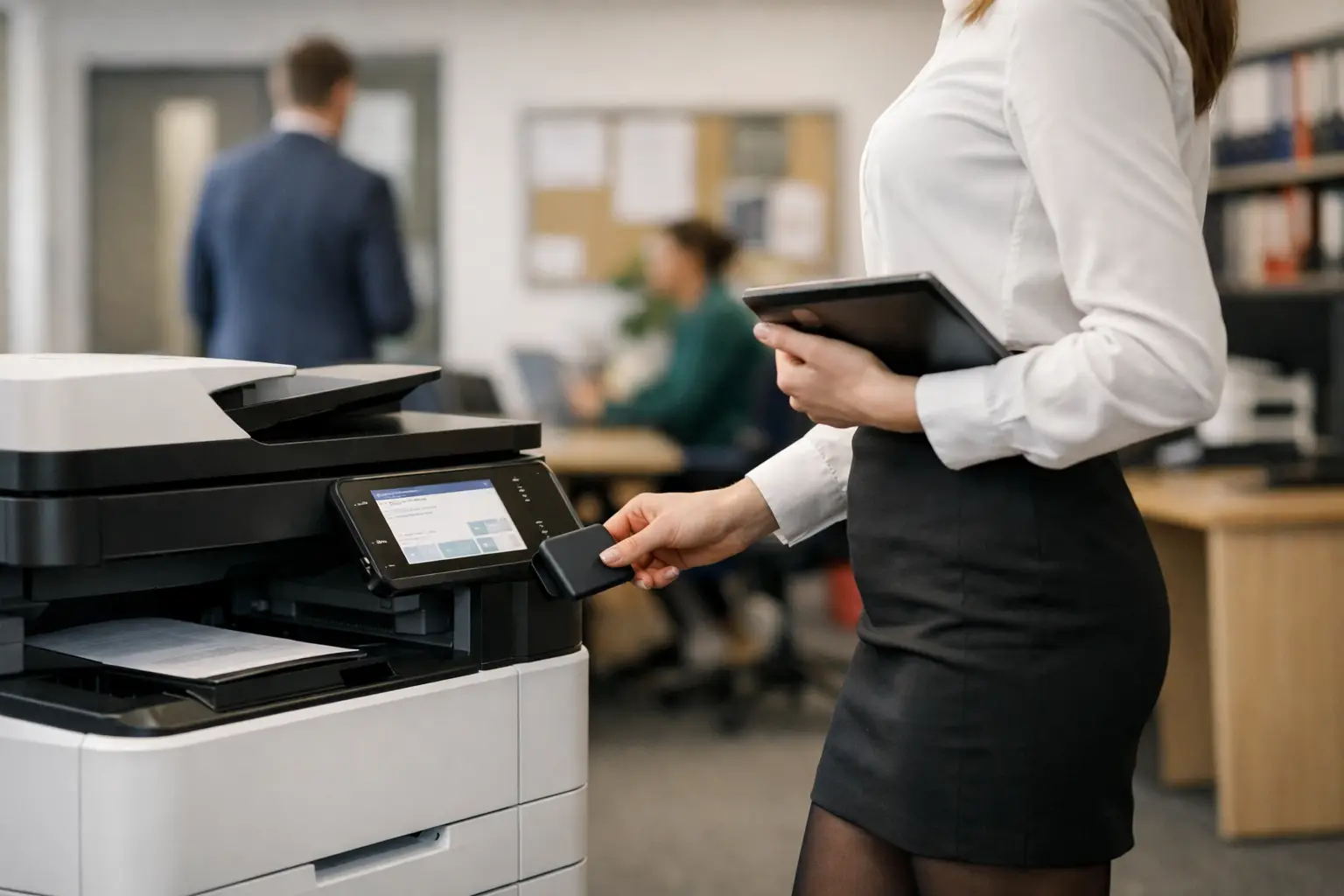
When a user presses print, the document is sent to a central or cloud-based print queue rather than immediately emerging from the nearest device. The user then authenticates at a compatible printer or multifunction device using a PIN, proximity card, mobile device or network credentials. Only then is the document released.
This is often called pull printing or follow-me printing. It means a user can send a job from their desk, then collect it from an appropriate enabled device when they are ready. If they walk to a different floor, find the original device busy or work from another office, their document can follow them within the rules set by the organisation.
The approach is straightforward, but its value depends on the surrounding configuration. Authentication methods, job retention periods, permissions, device compatibility and reporting all need to suit the organisation's security requirements and working patterns. A small office with one multifunction device needs a different design from a school, professional services firm or multi-site business with departmental printing rules.
Why uncollected printing is a business problem
Most workplaces have experienced the familiar pile of papers left in an output tray. Some are harmless duplicate emails or meeting notes. Others may include payroll information, patient correspondence, employee records, legal documents, tender responses or customer data.
Immediate printing creates two avoidable problems. First, anyone passing the device may see or take a document that was not intended for them. Secondly, people often send jobs more than once when a printer appears slow or unavailable, then forget to collect one or both copies. Those pages still consume toner, paper, energy and service capacity.
Secure release changes the default. A document is not visible until its owner authenticates, and jobs that are never collected can expire automatically. That is a useful control for organisations seeking to reduce unnecessary output without relying on users to alter their habits perfectly.
It is not, however, a complete security strategy on its own. A released document can still be left behind, and an unlocked device can still be misused. Secure print release should sit alongside device access controls, user permissions, encrypted communications, secure scan destinations and sensible document-handling policies.
The operational gains beyond security
The strongest business case is usually a combination of risk reduction and everyday efficiency. Finance teams gain better visibility of usage. IT teams gain fewer print queues to maintain locally. Office managers gain a more orderly print environment where devices are used for the work they are best suited to handle.
Less waste, with evidence
A system can report how many jobs were printed, deleted before release or left to expire. This provides a more reliable view of avoidable printing than simply measuring paper orders. It can also reveal patterns: one department may be producing high volumes of colour output, while another may be repeatedly printing documents that could be shared digitally.
Reporting should support decisions rather than become a monthly spreadsheet exercise. Useful data can inform print policies, device placement, cost-centre allocation and managed print reviews. Where chargeback or departmental billing is required, authenticated release creates an accountable record of usage.
Better use of the fleet
Follow-me printing helps users choose a suitable device at the point of collection. A short black-and-white document can be released at a nearby office printer, while a high-volume report can be directed to a more capable multifunction device or production print system. This can reduce bottlenecks at a single popular machine.
The trade-off is that every device intended for release must be configured, monitored and supported consistently. Older hardware may require additional consideration, and not every printer is a sensible candidate for integration. A fleet assessment should establish which devices can be retained, which should be upgraded and where refurbished equipment may provide a cost-effective alternative.
A simpler experience for hybrid teams
Hybrid working has made local, device-specific print queues less practical. Staff may be in different offices during the week, use hot desks or connect through managed laptops. A central print queue can make printing more predictable, provided the platform works with the organisation's identity management, operating systems and network design.
Cloud print management can be particularly useful where there is limited server capacity or a dispersed estate. Yet cloud is not automatically the right answer in every case. Organisations with strict connectivity, data residency or legacy application requirements may prefer a locally hosted or hybrid arrangement. The key is to choose the architecture around operational needs, not a software label.
Choosing secure print release software
The best solution is the one that fits the people, devices and documents already in the business. Start by mapping where printing happens, who uses it, what information is printed and which systems send the jobs. A release platform that works well for standard office documents may need additional testing for specialist applications, labels, finance systems or production workflows.
Authentication deserves close attention. PIN release is simple and inexpensive, but card or badge authentication can be quicker at busy devices and may align with existing building access systems. Mobile release may suit visitors and flexible workers, although it needs a clear support process for lost or replaced phones. Convenience matters because controls that slow people down unnecessarily are often bypassed or poorly adopted.
Look for reporting that is clear enough for operational teams to use and detailed enough for IT and finance to trust. The system should show usage by user, department, device and print type where appropriate, while respecting privacy obligations. It should also support retention rules, secure deletion of expired jobs and permissions for colour printing or restricted devices.
Integration should be tested rather than assumed. Consider Microsoft 365 environments, directory services, single sign-on, card readers, print drivers, guest access and the existing multifunction device fleet. A pilot on representative devices and with a cross-section of users will expose practical issues before a wider rollout.
Implementation should focus on adoption
Technology alone does not remove print waste or protect documents. Users need to understand what changes, how to release a job and what to do when they cannot access a device. A short, well-timed introduction is usually more effective than a lengthy policy document.
Device settings should be planned around real usage. Set sensible job expiry periods, default to duplex and black-and-white printing where appropriate, and make exceptions available for teams with genuine colour, accessibility or document-quality requirements. Blanket restrictions can create workarounds, especially in customer-facing, design or operational departments.
Support arrangements matter just as much after launch. Someone needs visibility of device status, consumables, authentication issues and user queries. For organisations across Yorkshire and Northern Lincolnshire, a managed provider such as HAD-COPY can combine software deployment with fleet support, user guidance and ongoing reporting, avoiding the gap that often appears when hardware, software and service are managed separately.
A practical control that earns its place
Secure print release software is most valuable when it removes friction as well as risk. Users should be able to print confidently, collect documents at a suitable device and leave no sensitive pages sitting in an output tray. Meanwhile, the organisation gains a clearer picture of spend, usage and fleet performance.
Start with the documents that create the greatest exposure and the devices that attract the most traffic. A focused pilot, measured against uncollected jobs, support requests and user experience, will give decision-makers the evidence needed to build a print environment that is safer, easier to administer and less wasteful.


